







Fixing Gemini Nano's Accuracy with a Bigger Model


Where Our First Prompt Falls Short
In my last blog post, we built a basic app that classifies pantry items as Safe, NotSafeToEat, NotAllowed, or Unknown using the ML Kit GenAI Prompt API (alpha). The prompt worked great as an intro to on-device AI, but it was extremely limited and fell apart under more “creative” inputs. Today we’re back to explore prompt engineering techniques and prefix caching to improve Gemini Nano’s accuracy and inference speed.
Strange Results
Bad Fruit
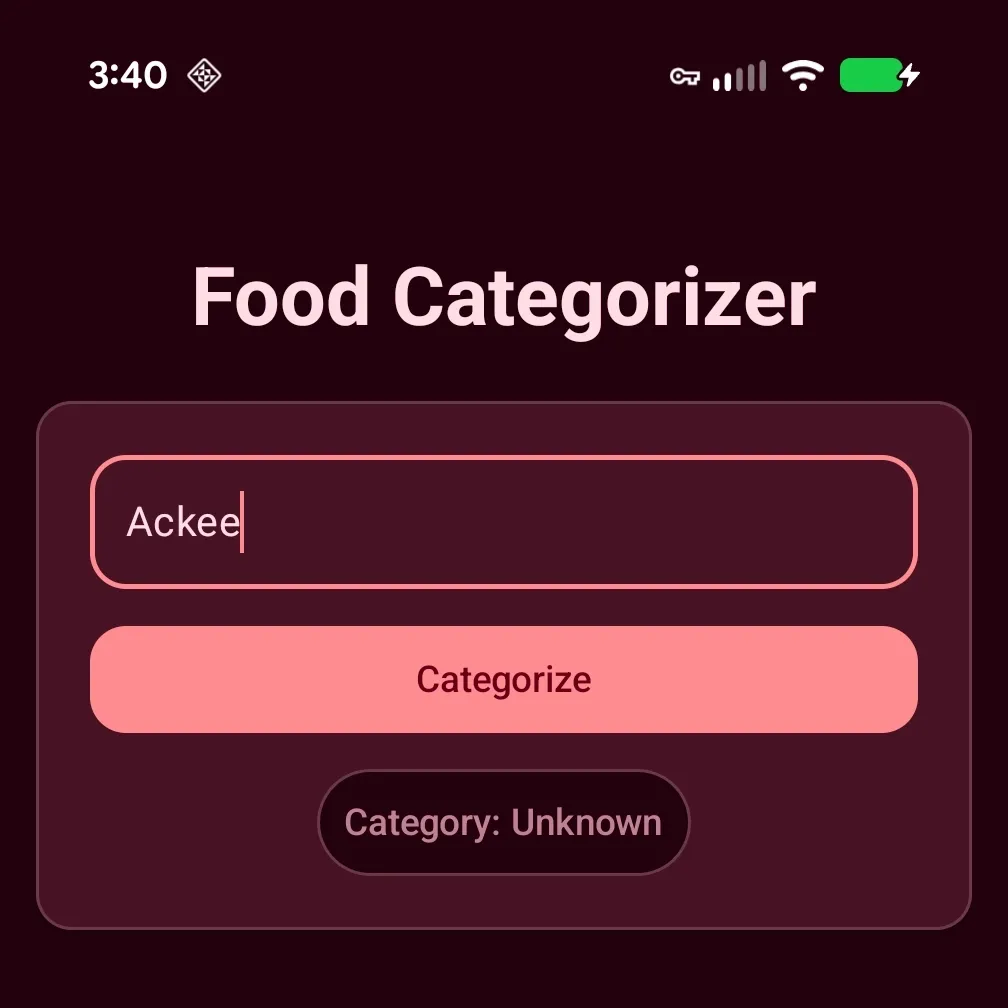
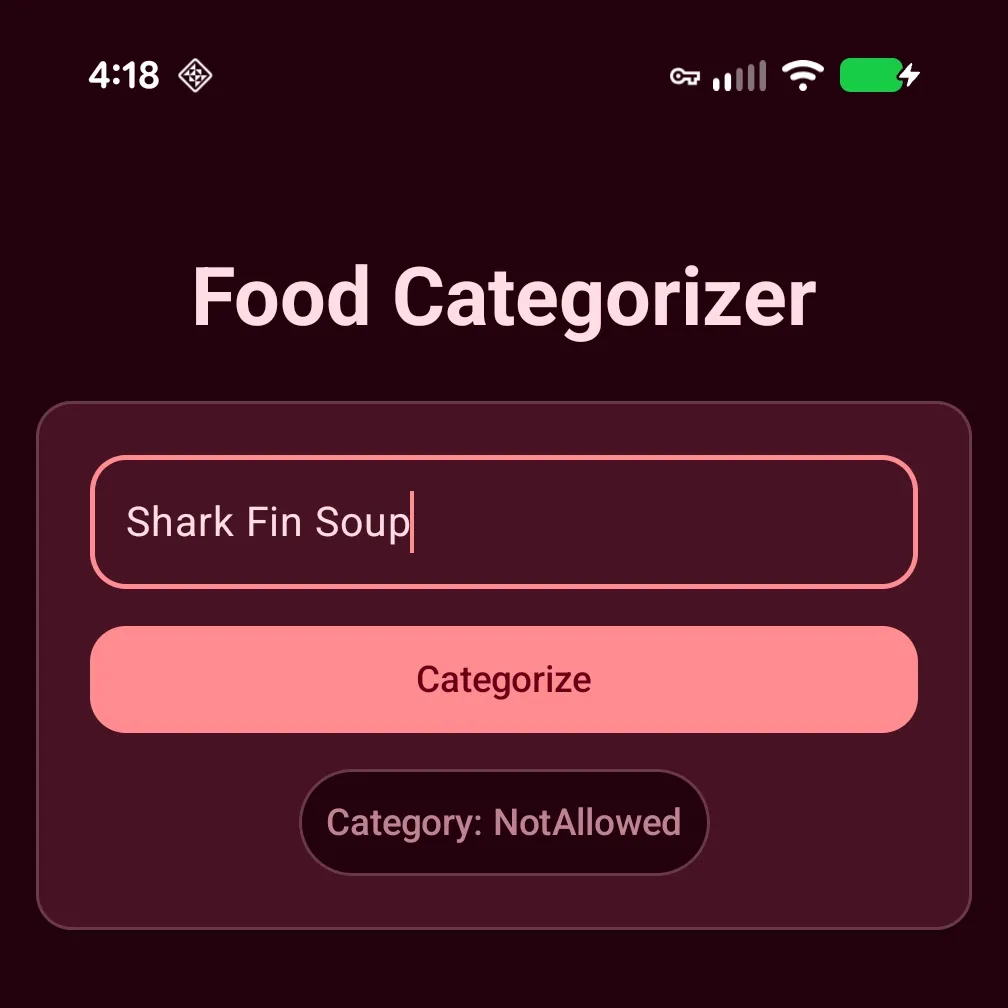
Ackee: A West African tropical fruit containing high levels of Hypoglycin and therefore banned by the FDA since 1973.
Unwelcome Surprise
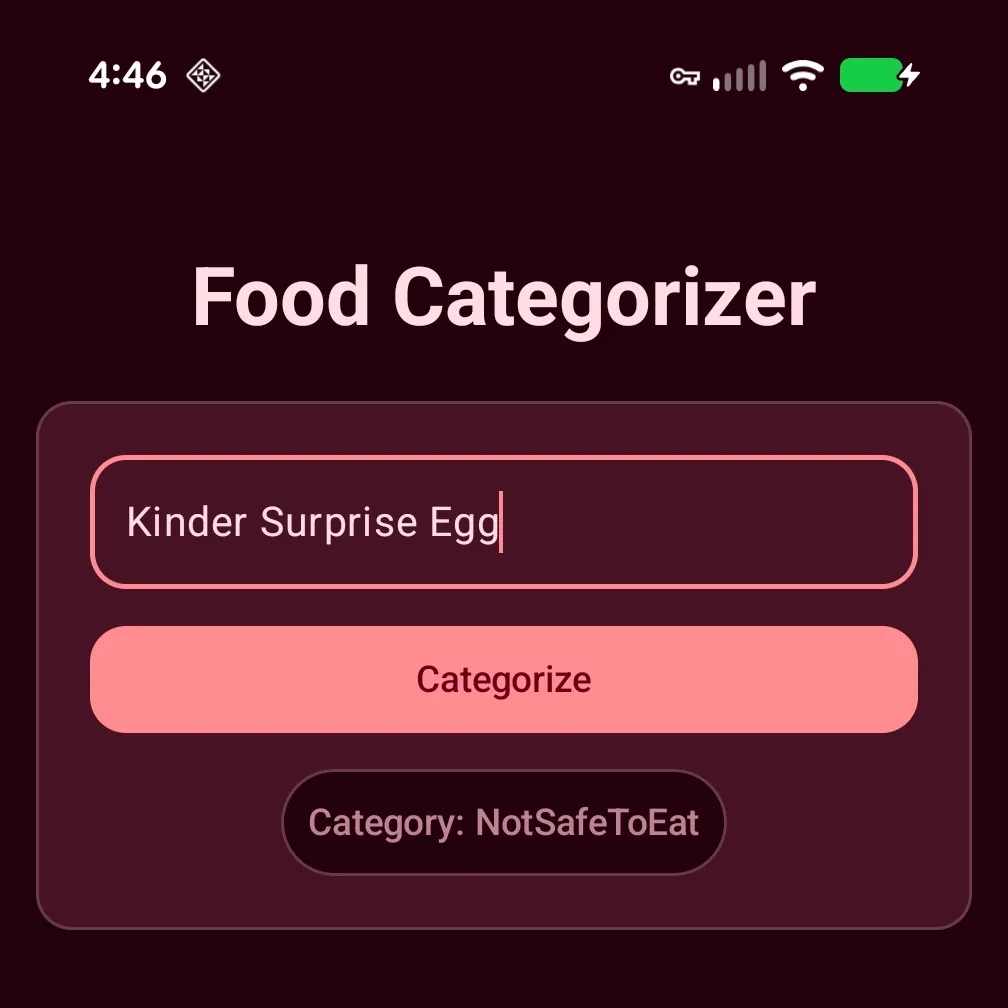
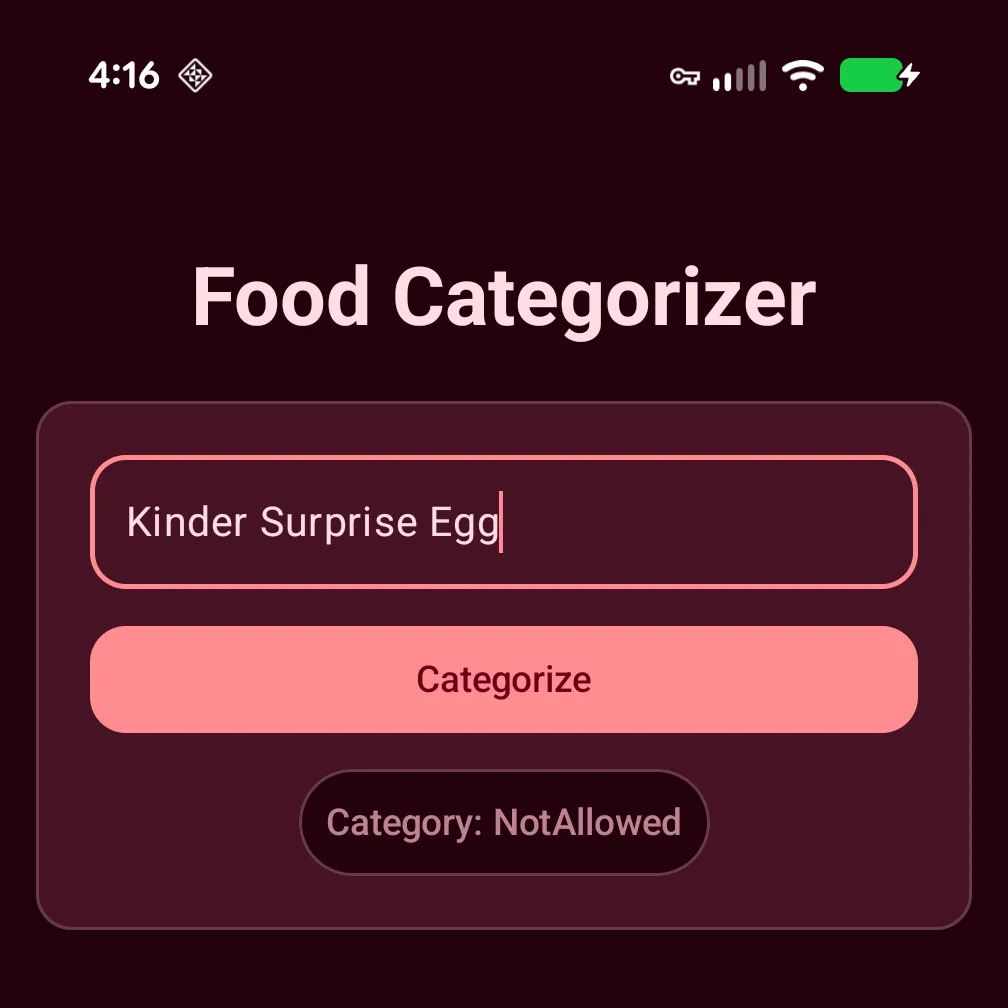
Kinder Surprise Egg: A milk chocolate egg that contains a “surprise” tiny plastic toy at its center. Kinder Eggs pose a choking hazard and are therefore banned in the United States. While a classification of NotSafeToEat isn’t entirely incorrect (a plastic toy is indeed not safe to eat), I think it would be more accurate to report the egg as NotAllowed.
So-”don’t” Drink?
The most interesting limitation of our current app is that casing matters. Check out the results when I attempted to categorize “soda”.
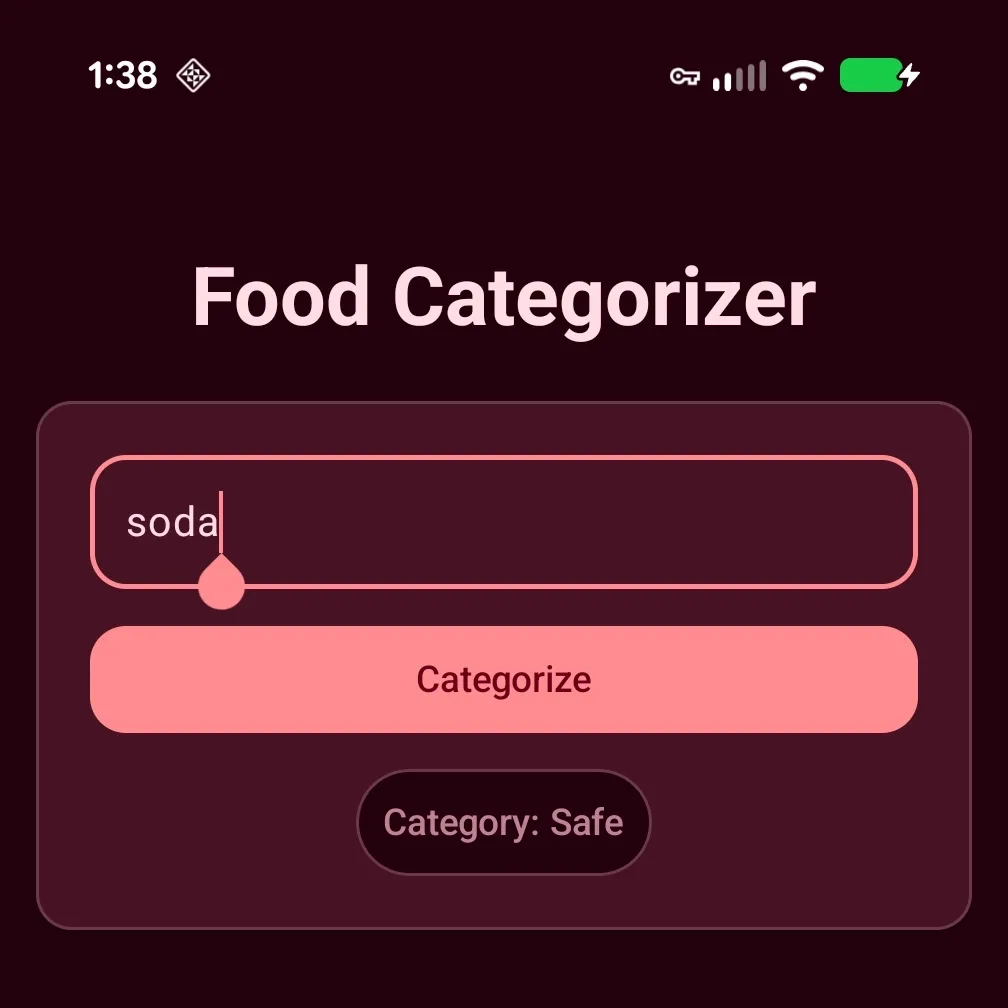
Not too bad, right? “soda” indeed is Safe to drink.
Let’s see what the model outputs when I capitalize the “S”:
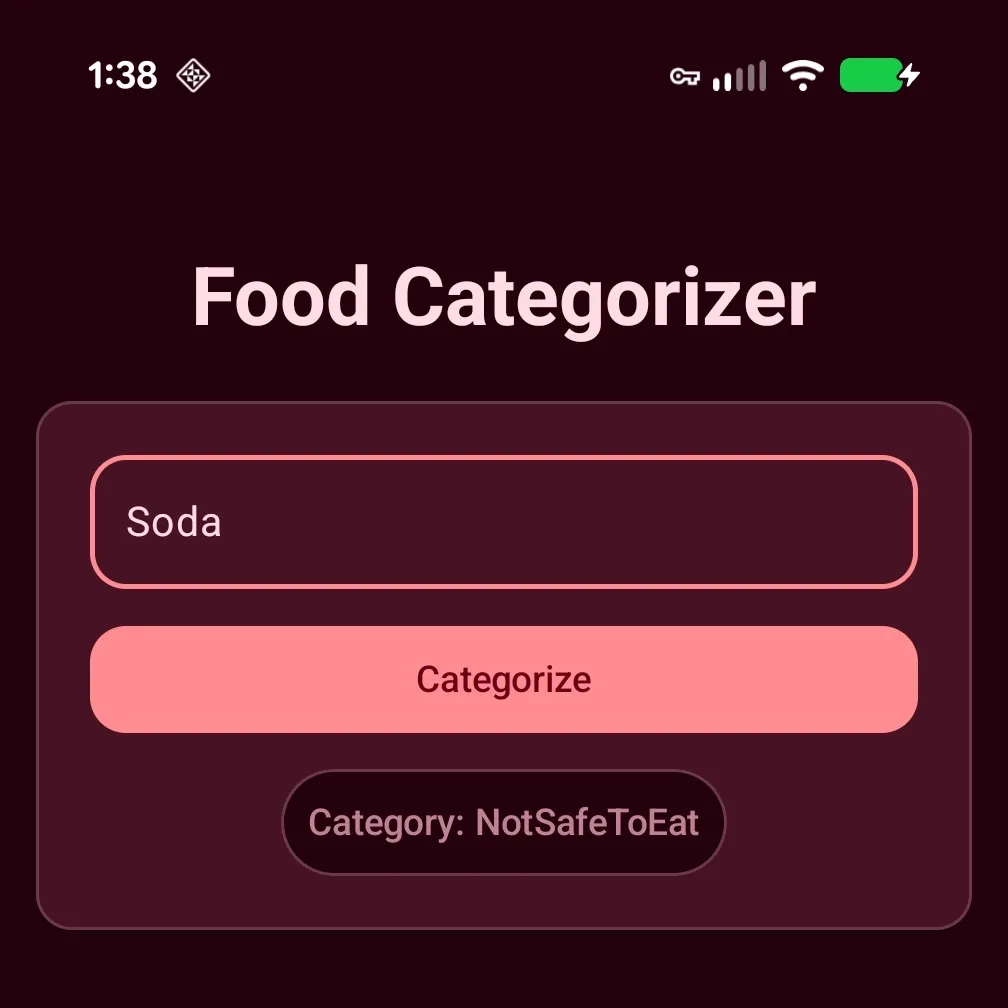
Now, that’s odd. I’m pretty sure “soda” with a capital “S” is still safe to drink. Even worse, this isn’t always consistent. On later runs I got Safe regardless of casing.
If you continue to enter other known illegal/banned foods you will get similar results of Unknown & NotSafeToEat. The model just refuses to categorize items that should be a slam dunk (Ackee) correctly. What gives?
Prompt Quality
I’m chalking this up to the quality of our prompt. It’s just not good enough, admittedly so. As the old adage goes: “Garbage in, garbage out”. We haven’t tailored our prompt enough to return the results we expect. As luck would have it, the Prompt API documentation provides a list of best practices for designing prompts.
Provide examples for in-context learning. Add well-distributed examples to your prompt to show Gemini Nano the kind of result you expect.
Be concise. Verbose preambles with repeated instructions can produce suboptimal results. Keep your prompt focused and to-the-point.
Structure prompts to generate more effective responses, such as this sample prompt template that clearly defines instructions, constraints, and examples.
Keep output short. LLM inference speeds are heavily dependent on the output length. Carefully consider how you can generate the shortest possible output for your use case and do manual post-processing to structure the output in a desired format.
Add delimiters. Use delimiters like
<background_information>,<instruction>, and ## to create separation between different parts of your prompt. Using ## between components is particularly critical for Gemini Nano, as it significantly reduces the chances of the model failing to correctly interpret each component.Prefer simple logic and a more focused task. If you find it challenging to achieve good results with a prompt requiring multi-step reasoning (for example, do X first, if the result of X is A, do M; otherwise do N; then do Y…), consider breaking the task up and let each Gemini Nano call handle a more focused task, while using code to chain multiple calls together.
Use lower temperature values for deterministic tasks. For tasks such as entity extraction or translation that don’t rely on creativity, consider starting with a temperature value of 0.2, and tune this value based on your testing.
While trying to improve Nano’s results for myself, I found a pretty neat trick for crafting prompts that provides more reliable results. AI!
Improving Our Prompt
Yes, that’s right. We’re going to use AI to help craft a new and improved prompt that we will, in-turn feed into another AI. You could say bots-improving-bots (🤖🏗️🤖). We’re going to utilize the far more capable processing powers Gemini 3 in the cloud. First, we just need to come up with the prompt for our “real” prompt that we’ll end up using in our app.
Note: Google offers a free tier for Gemini 3 using their Flash model. They also provide limited access to their Pro & Thinking models which should be ample for our use case. I recommend using the Pro model first to generate your initial prompt which should already be significantly more capable than our initial prompt. If/when you reach your access limit for the Gemini’s Pro model, the Flash model should be more than capable to further refine the prompt. With that being said, nothing we’ll be doing is specific to Gemini so feel free to use any Gen AI chatbot with which you are already comfortable.
Now, don’t you worry. We’re not in a chicken & egg situation here. Given Gemini 3’s advanced reasoning capabilities and that we don’t need rapid response, like we do for our app, we can use “Pro” mode to decipher what we really want to achieve and spit out a more refined and “production quality” prompt that we can use in our app. All we need to do is describe what our app is trying to do and append our existing prompt to add additional context and we are ready to go.
Here’s the exact prompt I used:
Can you help me craft a prompt for Gemini Nano (using ML Kit GenAi Prompt API)
that will classify if items found in my pantry are safe to eat. The items
could be anything food or not food alike. Classification should consider if
the item is safe but not legal to eat in the US. If the item cannot be
determined the model should indicate "unknown". I've posted my basic prompt
and I'm not happy with the results.

<INSTRUCTIONS>
    Evaluate an ingredient that could be any type of item, including
    things that are food. Determine whether or not an item is
    "safe to eat", "not safe to eat", "not allowed", or "unknown".
    Please provide the output as structured output using a format
    similar to the following:
    { "ingredient": "Ground Black Pepper", "category": "safe" }
    { "ingredient": "Rigatoni", "category": "safe" }
    { "ingredient": "akdk3", "category": "unknown" }
    { "ingredient": "kitchen knife", "category": "notSafeToEat" }
    { "ingredient": "raw milk", "category": "notAllowed" }
</INSTRUCTIONS>
##
User entered ingredient:
Here is the updated prompt authored by Gemini 3’s Pro thinking model:
SYSTEM: You are a strict safety classification assistant. Your job is to
classify text inputs found in a pantry into one of four categories based on
US standards.

CATEGORY DEFINITIONS:
1. "safe": The item is generally considered food and is legal to eat in the
US.
2. "notSafeToEat": The item is non-food, a chemical, an object, or toxic.
3. "notAllowed": The item is biologically consumable but restricted or
illegal to sell/consume in the US (e.g., unpasteurized dairy, specific
banned imports).
4. "unknown": The input is gibberish, unrecognizable, or ambiguous.

FORMAT:
Respond ONLY with a JSON object. Do not provide explanations.
Format: { "ingredient": "input_text", "category": "category_label" }

EXAMPLES:
Input: Canned Corn
Output: { "ingredient": "Canned Corn", "category": "safe" }

Input: Bleach
Output: { "ingredient": "Bleach", "category": "notSafeToEat" }

Input: Authentic Haggis
Output: { "ingredient": "Authentic Haggis", "category": "notAllowed" }

Input: Ceramic Plate
Output: { "ingredient": "Ceramic Plate", "category": "notSafeToEat" }

Input: Raw Milk
Output: { "ingredient": "Raw Milk", "category": "notAllowed" }

Input: xkvj88
Output: { "ingredient": "xkvj88", "category": "unknown" }

Input: Kinder Surprise Egg (imported)
Output: {
  "ingredient": "Kinder Surprise Egg (imported)",
  "category": "notAllowed"
}

Input: Sliced Bread
Output: { "ingredient": "Sliced Bread", "category": "safe" }

Input:
We’ll want to add delimiters that will act as “cognitive fences” for the model to better parse the prompt. Here is the updated prompt:
private const val PROMPT_V2 = """
<OBJECTIVE_AND_PERSONA>
You are a strict safety classification assistant. Your job is to classify
text inputs found in a pantry into one of four categories based on US
standards.
</OBJECTIVE_AND_PERSONA>
##
<CONSTRAINTS>
CATEGORY DEFINITIONS:
1. "safe": The item is generally considered food and is legal to eat in the
US.
2. "notSafeToEat": The item is non-food, a chemical, an object, or toxic.
3. "notAllowed": The item is biologically consumable but restricted or
illegal to sell/consume in the US (e.g., unpasteurized dairy, specific
banned imports).
4. "unknown": The input is gibberish, unrecognizable, or ambiguous.
</CONSTRAINTS>
##
<OUTPUT_FORMAT>
Respond ONLY with a JSON object. Do not provide explanations.
Format: { "ingredient": "input_text", "category": "category_label" }
</OUTPUT_FORMAT>
##
<FEW_SHOT_EXAMPLES>
EXAMPLES:
Input: Canned Corn
Output: { "ingredient": "Canned Corn", "category": "safe" }

Input: Bleach
Output: { "ingredient": "Bleach", "category": "notSafeToEat" }

Input: Authentic Haggis
Output: { "ingredient": "Authentic Haggis", "category": "notAllowed" }

Input: Ceramic Plate
Output: { "ingredient": "Ceramic Plate", "category": "notSafeToEat" }

Input: Raw Milk
Output: { "ingredient": "Raw Milk", "category": "notAllowed" }

Input: xkvj88
Output: { "ingredient": "xkvj88", "category": "unknown" }

Input: Kinder Surprise Egg (imported)
Output: { "ingredient": "Kinder Surprise Egg (imported)", "category": "notAllowed" }

Input: Sliced Bread
Output: { "ingredient": "Sliced Bread", "category": "safe" }
</FEW_SHOT_EXAMPLES>
##
Input:
"""
You can find information on evaluating the quality of your prompt here.
Prefix Caching
Before we run the model, we also want to look into prefix caching. Prefix Caching is an experimental feature that “reduces inference time by storing and reusing the intermediate LLM state of processing a shared and recurring prompt prefix part.” Since 99% of our prompt is static, the only dynamic part being the user entered ingredient (usually very short), it’s a perfect candidate for optimization.
To keep the implementation simple we’re going to use implicit prefix caching, where we only need to define the reused portion of the prompt and the API will take care of the rest. Prefix cache files are stored in the application’s private storage. The size of the cache is dependent on the length of the prefix; so larger prefixes mean larger caches. Caches storage is managed with a LRU (least recently used) strategy so you don’t have to worry about bloating device storage with test prompt prefixes during “fine-tuning”. If you are concerned, you can explicitly evict the caches using generativeModel.clearCaches(). If you want total control of caching, the Prompt API support that too.
Fortunately for us, the code to use implicit prefix caching is very straightforward:
private suspend fun GenerativeModel.categorize(
    ingredient: CharSequence,
): String {
    return generateContent(
        request = generateContentRequest(
            text = TextPart(textString = " $ingredient")
        ) {
            promptPrefix = PromptPrefix(textString = PROMPT_V2)
        }
    ).candidates
        .map { it.text }
        .firstOrNull() ?: "Failed to categorize $ingredient"
}
Note: initial runs will incur a prefix cache-miss and will therefore run longer than subsequent runs.
Enough talk, let’s see some improved results.
Results
Fruits of Our Labor
No More Surprises
Extras
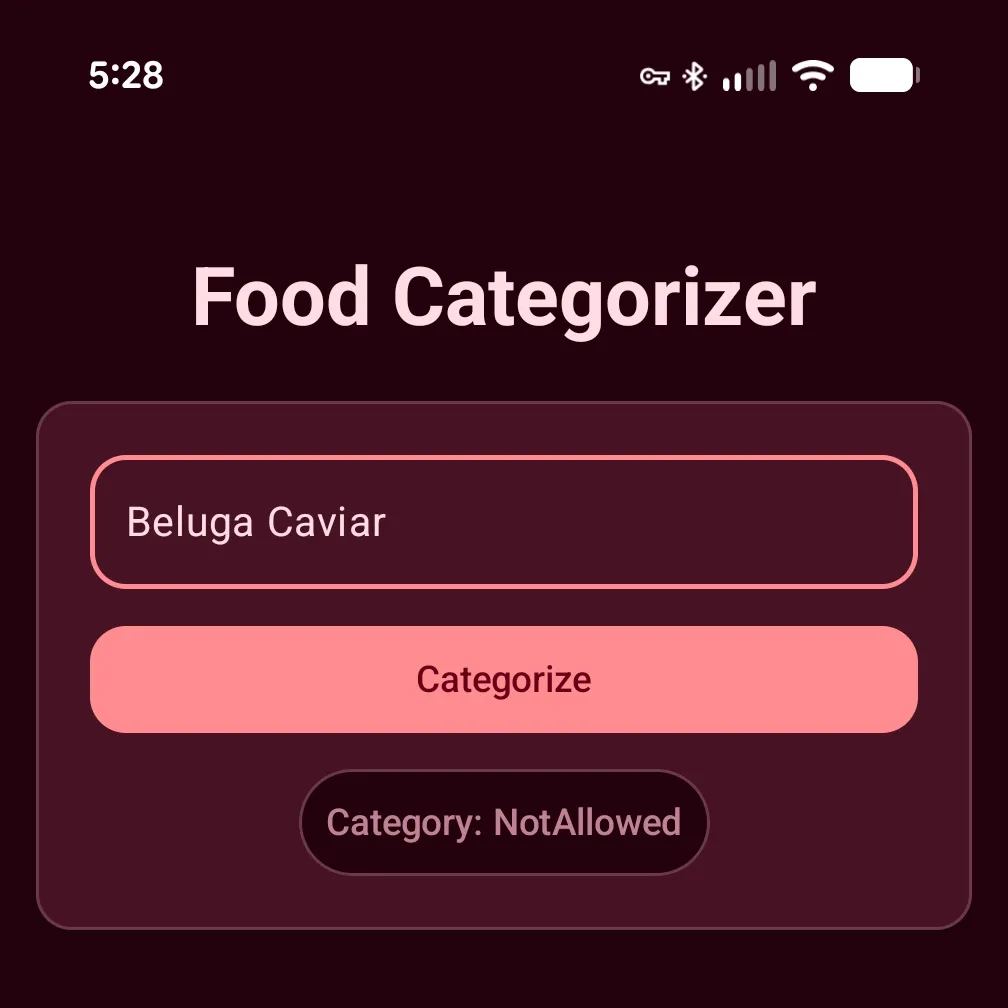
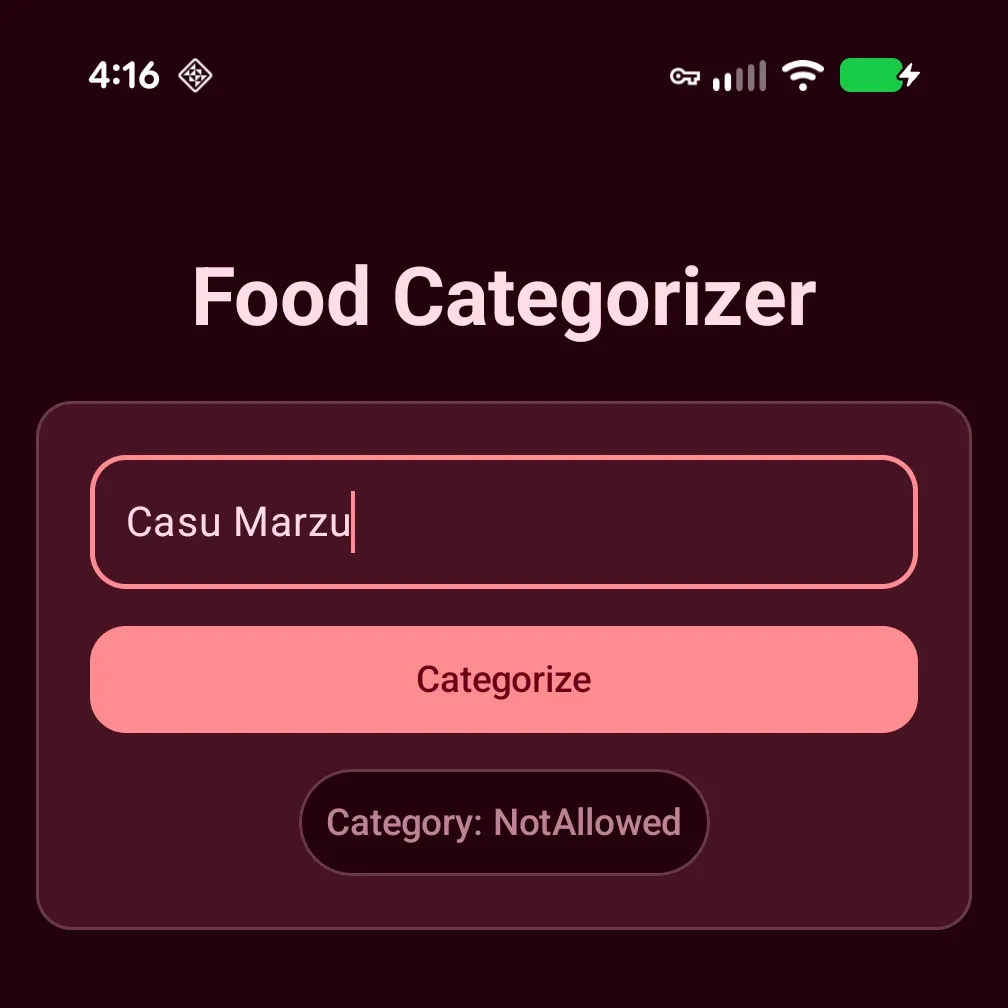
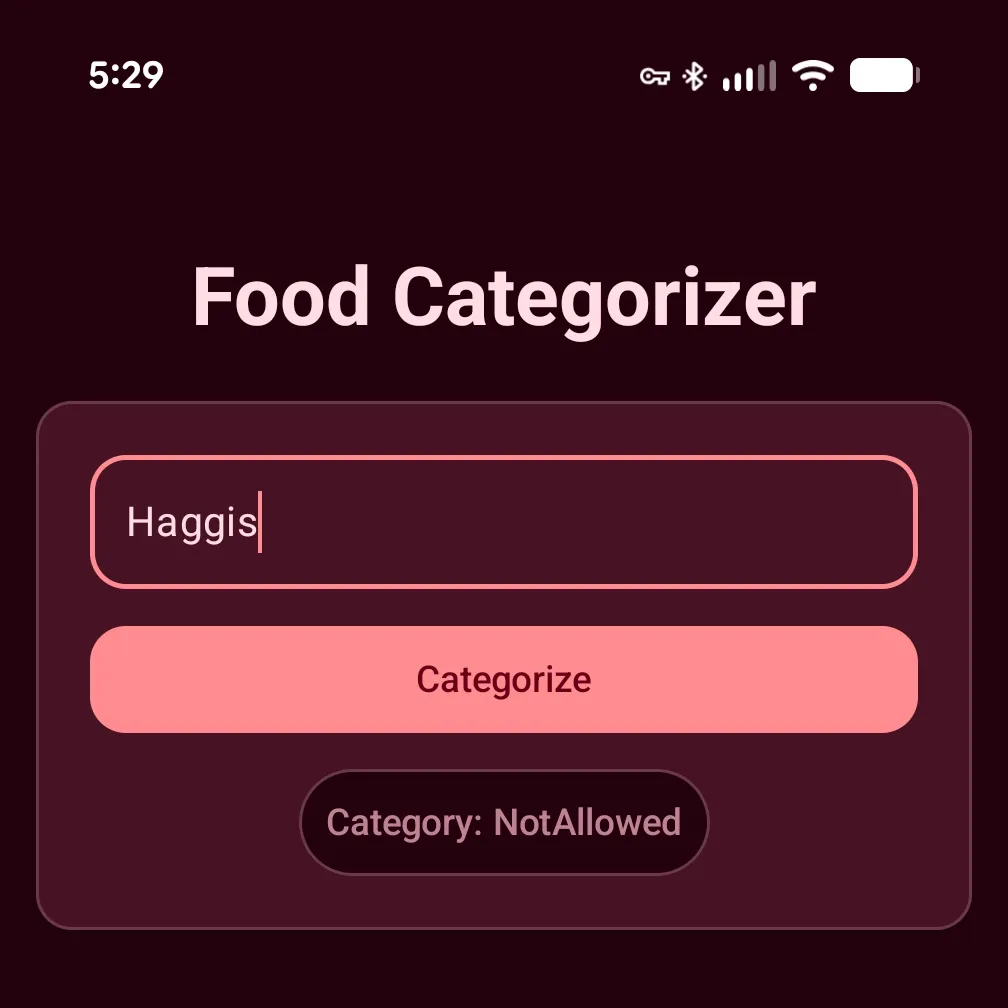
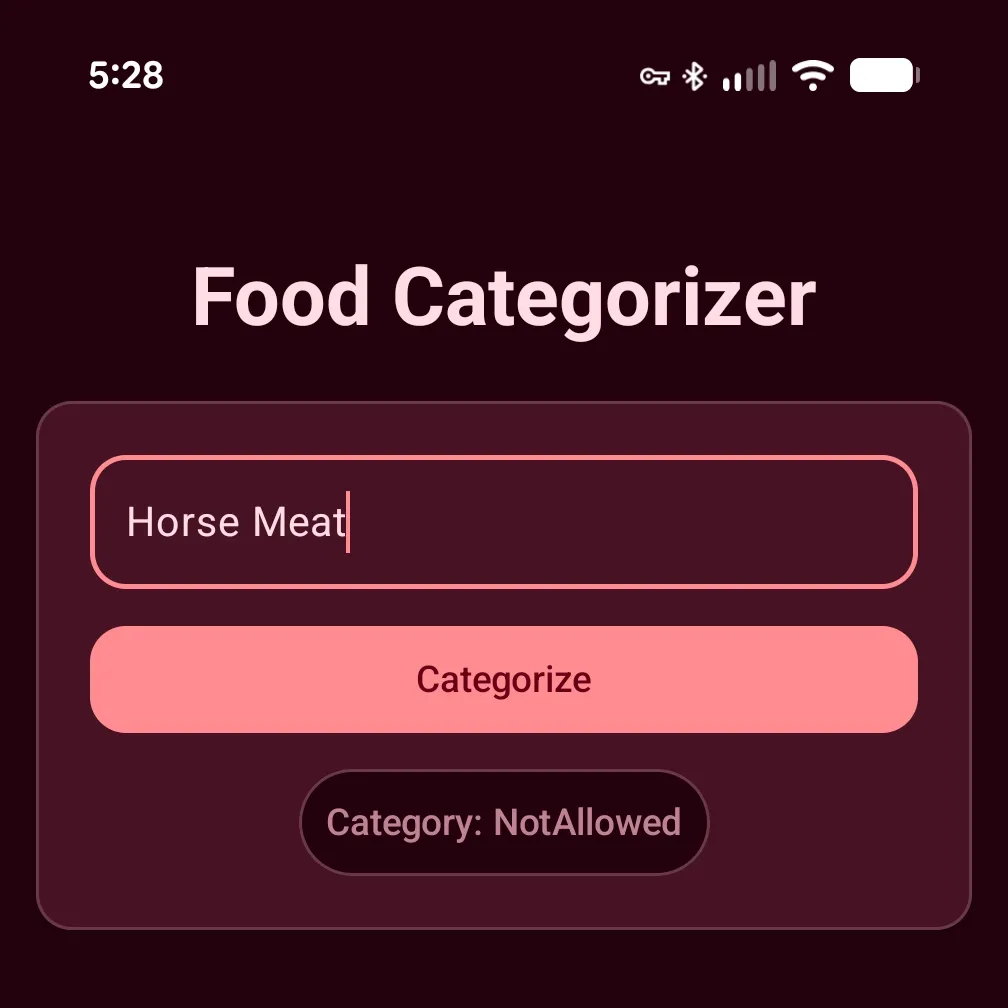
I also used Gemini 3 to compile a list of foods that are illegal/banned in the US:
 |  |
 |  |
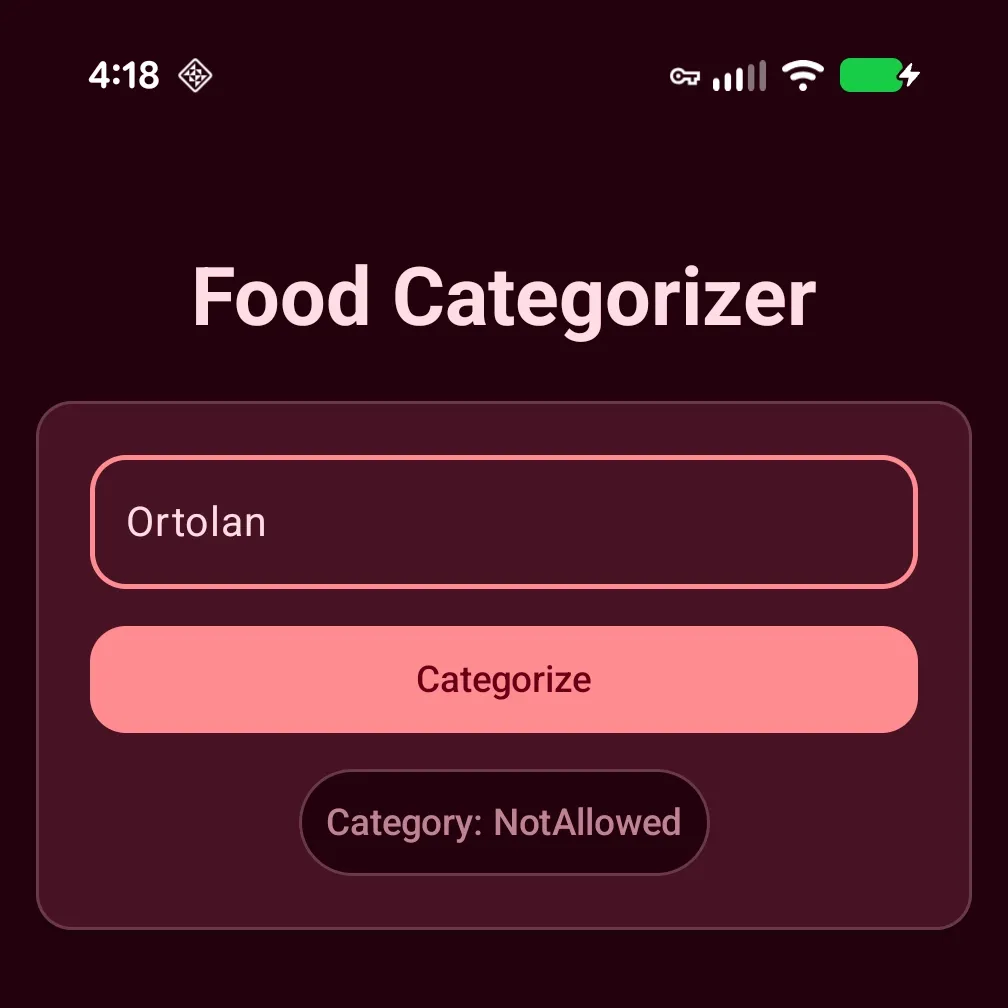 |  |
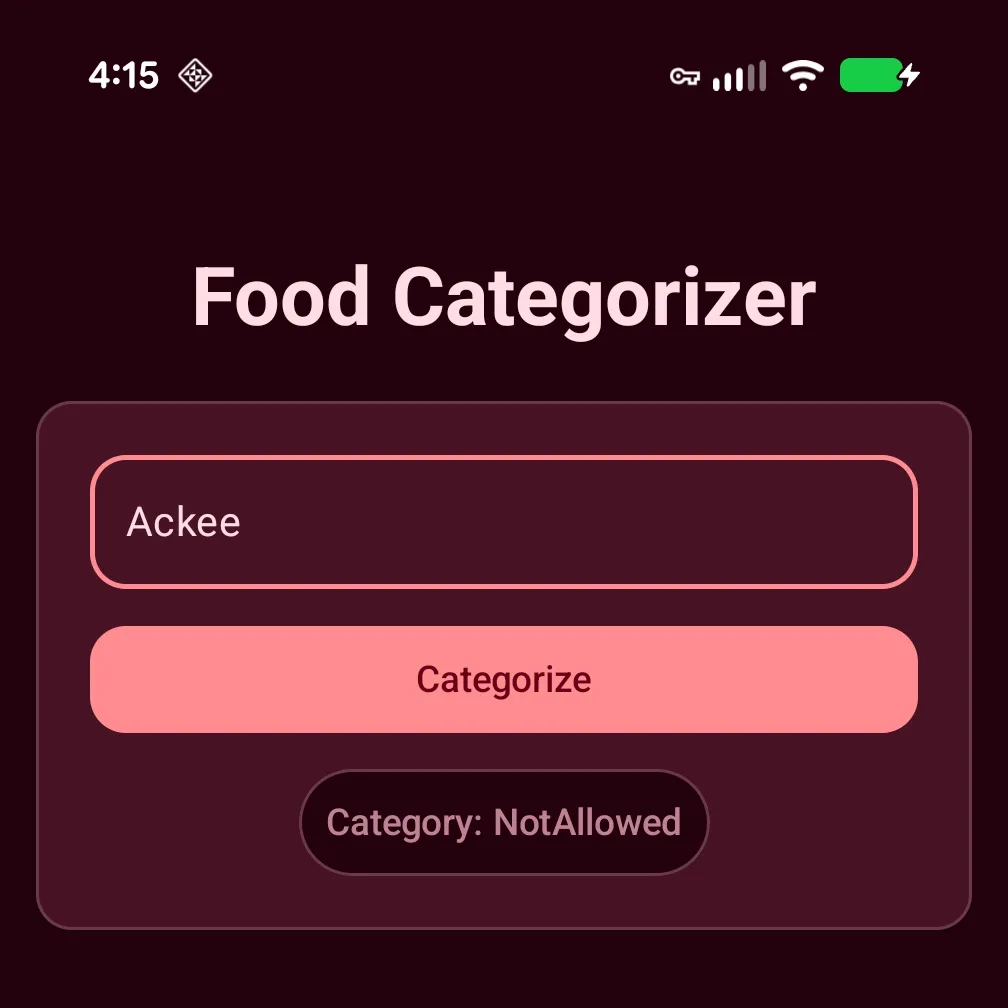
Undeniably, the updated prompt is certainly resulting in more accurate categorizations (though still not perfect). All previously tested items are now being categorized as expected. I also tested these “extra” items with the original model and as you could expect they were all categorized incorrectly. “Beluga Caviar” was categorized as Safe 😬.
Improved Timing
I tweaked the app to run 10 consecutive categorizations so I could gather some baseline data and verify if prefix caching actually improves inference time.
W/ Prefix Caching
| Item | Min | Max | Avg |
|---|---|---|---|
| Fruit Snacks | 1.072s | 2.261s | 1.201s |
| Corn | 0.844s | 1.987s | 1.001s |
| Chicken | 0.823s | 2.010s | 0.988s |
| Bike Pedal | 1.139s | 2.266s | 1.286s |
*Measurements taken on a Pixel 9 Pro XL (Tensor G4, 16GB RAM). Inference times may vary by device hardware and system state.
W/o Prefix Caching
| Item | Min | Max | Avg |
|---|---|---|---|
| Fruit Snacks | 1.769s | 1.800s | 1.781s |
| Corn | 1.554s | 1.632s | 1.592s |
| Chicken | 1.555s | 1.607s | 1.589s |
| Bike Pedal | 1.871s | 1.893s | 1.882s |
*Measurements taken on a Pixel 9 Pro XL (Tensor G4, 16GB RAM). Inference times may vary by device hardware and system state.
Looking at the data, to me, three things are evident. (1) Caching does improve inference time, though not always as much as I’d like. (2) The actual caching takes a non-negligible time. (3) Certain items categorize much faster; don’t know what to make of this. Completely unscientific guess here, but maybe it’s related to how “common” an item is. Both “Chicken” and “Corn”, the most common protein and grain, were categorized faster than the other items. That’s got to mean something 🤷🏿♂️.
Better, Not Perfect
While these results are an improvement over what we were getting from our original prompt, it’s still not perfect. Searching for “Sassafras Oil”, an oily liquid high in Safrole and therefore banned by the FDA, still returns NotSafeToEat.
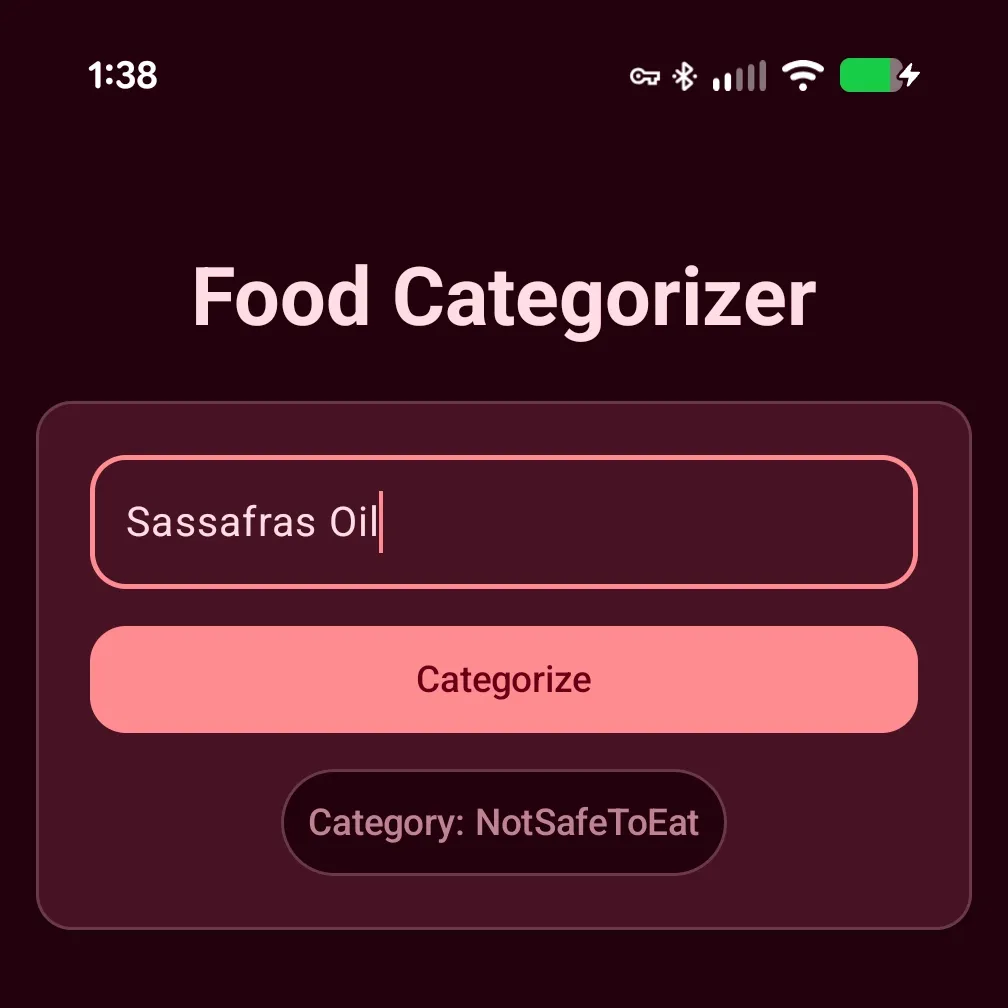
Like with the Kinder Surprise Egg, this is technically correct, Safrole makes the “Sassafras Oil” a potential carcinogen, but we want our app to properly categorize ingredients as best as possible… we don’t want to get people sick. There’s still work to be done.
Returning to Gemini and using the same chat window as our last prompts, best to maintain project context, I was able to use the following one-liner prompt:
The model reports “Sassafras Oil” as NotSafeToEat
Gemini suggests that our issue lies in how the model is processing the category definitions we provided in the prompt as additional context.
Why did it choose `notSafeToEat`?

If you look at our prompt's definitions, notSafeToEat includes "chemicals, toxins, or inedible matter." Sassafras oil contains a high concentration of safrole. Not only did the
FDA ban it as a food additive in 1960 because it is a known carcinogen, but it is also highly toxic; consuming as little as 5 mL of pure sassafras oil can be lethal to an adult.

Because of this, the AI is looking at Sassafras Oil and prioritizing its status as a "toxin" over its historical status as a "restricted food."
How I’m choosing to interpret this is we crafted a prompt so good, the model can’t help but adhere to it so strictly (which is normally what we want; deviating from our primary objective is bad 🙅🏿♂️). Fortunately, the suggested fix is actually very simple: we just need to tweak the category definitions to better instruct the model to apply categorization and consider whether items were ever meant for human consumption versus those that were not—i.e., a “bike pedal.”
Replace the <CONSTRAINTS>...</CONSTRAINTS> section of our prompt with the following and try again:
<CONSTRAINTS>
CATEGORY DEFINITIONS:
1. "safe": A specific physical food item or ingredient that is legal to eat in the US.
2. "notSafeToEat": Non-food objects, household chemicals, or matter never intended for human consumption (e.g., bleach, glass).
3. "notAllowed": Biologically consumable items, banned food additives, or natural toxins restricted/illegal to sell or consume in the US (e.g., toxic botanicals, unpasteurized dairy).
4. "unknown": Abstract concepts, gibberish, or unrecognized text.
</CONSTRAINTS>
Final Results
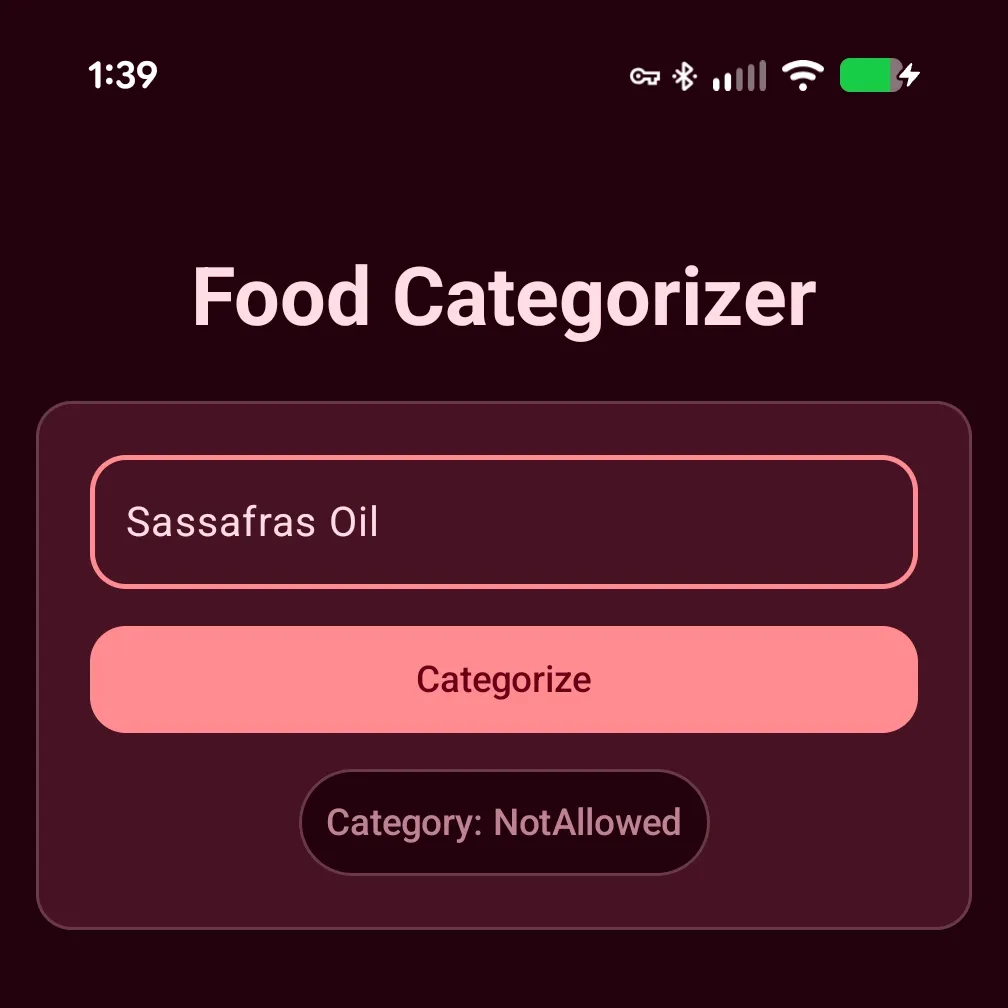
We’ve moved the needle. Our app is now correctly categorizing “Sassafras Oil”. As a sanity check, I reran the previous items through the model and they are still categorized correctly. Nice, our prompt hasn’t regressed.
Bits to Chew On
The true power of a good LLM model can only be harnessed by a quality prompt. As we saw, crafting a quality prompt can be a tricky beast. Luckily for us we can use the entire power of Gemini 3 in the cloud, a force-multiplier. We give it our “mission statement” and the original prompt and Gemini will expand, refine, and evolve our prompt into one that is both more accurate and consistent. By implementing prefix caching we were able to slightly improve inference time… though not by leaps and bounds.
Using LLMs end-to-end is a powerful workflow, but it’s not foolproof. Gemini 3’s first attempt was a massive leap forward, but it still required a human touch to add delimiters and fine-tune definitions for edge cases like Sassafras oil. It goes to show that while AI can ‘10x’ an engineer’s capability, it’s still just a tool. One that needs a skilled human operator double-checking the output.
If you believe AI would be a good fit for your Android apps and want a human-touch that every bot needs, contact our team. We’d love to help you figure out what’s possible.
A sister blog post to this and the previous discussing using Apple Intelligence to perform on-device food classification can be found here.