








AI Agents Migrated Our Nav 2 to Nav 3 Code - Free vs Paid Compared


Many of my coworkers have been seeing real success with AI agents doing things like code reviews, suggesting areas of improvement, and writing snippets of code, unit tests, or documentation. I’m sort of an “old dog” and I distrust AI for writing code for more than simple algorithms and documentation, but hearing my coworkers’ success using it has made me curious to give AI more responsibility. So if this “old dog” can learn new tricks, read on—maybe you can too!
One of our clients has an Android application that uses Jetpack Navigation 2 and I’ve thought it would be a good candidate for converting to Navigation 3. Navigation 3 is a newly rewritten navigation library designed specifically for Jetpack Compose and unlike Navigation 2, it’s built from the ground up for Compose, treating navigation as state rather than imperative commands. Upgrading would make the project more maintainable and future-proof, but would require a significant amount of time and work. So I thought this would be the ideal opportunity to see if AI is up to the task of providing significant value with little effort. (For a broader take on how to adopt AI tools strategically, we wrote a guide for engineering teams.) For more on Navigation 3, see my post Navigation 3 for Compose Multiplatform: Should You Migrate?.
For this experiment, I decided to try two different techniques for using an AI Agent. I used the built-in Agent in Android Studio Otter Feature Drop 3 for my first attempt and then for comparison, I tried Claude Code via the IDE plug-in.
First Attempt: Android Studio Otter AI Agent
There is a built-in AI Agent in Android Studio Otter Feature Drop 2 and later. To use it, you need to generate an API key for whatever LLM you want to use. I had already configured it with an API key for the free tier which uses Gemini 3 Flash Preview, so I just decided to start with that.
I have used the AI Agent feature in Android Studio before for minor things like asking it to write a unit test for a ViewModel or for adding Kotlin docs to a particular file so I thought that I’d just give it a simple command to convert the application’s Navigation 2 implementation to Navigation 3. Should be that simple, right? So I did and it started chugging.
It was giving me updates as it was reviewing the project, looking up the libraries needed for Navigation 3, etc. It was taking quite a while, but I wasn’t concerned. It had a lot of work ahead of it so I went to grab a coffee.
A few minutes later I returned. I don’t really remember how long it took, I got coffee and chatted with a coworker as I did. I was reminded of the classic XKCD comic 303 for the #1 programmer excuse for legitimately slacking off. I started thinking that “compiling” would be replaced by “running an AI agent”. I returned to an incomplete task and the error message: session timed out.
OK, that didn’t work, let’s try something different
Apparently, that was just too much of a task for the AI Agent API. That makes sense. It’s doing a lot of work and in the end, it’s making calls over a web API. So again, I sought advice from a co-worker who has experience using AI agents. He suggested that I just tell the agent to develop a plan and not act on the plan yet, but just list the steps. Then I could just tell the agent to execute the steps of its plan one at a time. Even better, he suggested that the AI agent should document the plan in a local .md file. That way I don’t have to rely on the session staying open for the agent to complete all the steps.
Second Attempt: AI Agent with a Plan
Armed with this new strategy, I gave it the following prompt:
Develop a plan to migrate this application from Navigation 2 to Navigation 3. Don’t act on the plan, just list the steps and document them in the file PLAN.md.
This time the AI Agent started off the same way, it began evaluating the project, looking up the libraries needed, etc, but this time it finished quickly and spit out a plan file. The plan listed 9 steps with a short description of each step and for the more complicated steps, it listed some sub-tasks. I looked over the plan and decided it looked appropriate, so I created a new branch off of main and told it to execute the first step.
It executed that step very quickly, and asked me to review the changes. The first step was to update the dependencies. Now at this time Navigation 3 is stable and the current version is 1.0.0. The AI agent decided that it wanted to use the first release candidate, 1.0.0-rc1 instead. So after convincing it that Navigation 3 has a stable release and that should be used, it changed the dependency to version 1.0.0.
So on and on it went through all 9 steps and then it deemed the task complete. If you’ve ever worked with an AI to develop code, you know that you can’t just trust that the task is really complete and you need to verify the results. Of course the app didn’t compile.
As an experienced Android developer, I recognized immediately why it wouldn’t compile, but hey, this is the agent’s job; it can fix its own mistakes. So one by one, I asked the agent to fix the compile errors until… it compiles! Ship it, right? No, but we can launch the app and see if it works.
Boom! Crash on launch. OK, looks like it wants the Kotlin reflection library. Hmm… I didn’t recall Navigation 3 needing that for Android. Let me ask why it thinks it needs that. It responds that Navigation 3 doesn’t need the library, but in order to preserve the signature of an existing class that it needed the library and gives me two options to fix it. Wow, I kind of appreciate that it didn’t want to gut all the existing code, but in this case there was no need to preserve the signature of the class so I opted to let it make the change that no longer needed the kotlin reflection library.
And so it went for a few more cycles: I launched the app and it crashed. I asked the agent to fix it and the agent fixed the mistake. Wash, rinse, repeat. Until finally… It works!
It looks like the built-in AI Agent that comes with Android Studio was able to get the job done, but it wasn’t the best experience. Ignoring the fact that it decided to preserve the method signature on a random middle object, it also deemed the refactor successful even though it wouldn’t even compile. There were several iterations of me directing it to fix its work and try again only to find it was still broken. So let’s see if we can do better.
Third Attempt: This time with Claude Code
I’ve heard good things about Claude Code, so let’s see if it can do better. I installed the Claude Code CLI and found that there is a plugin for it for Android Studio. Unfortunately, that plugin is just a glorified terminal window. No worries, I don’t need a fancy GUI, let’s sign up for a trial of Claude Code and see what it can do.
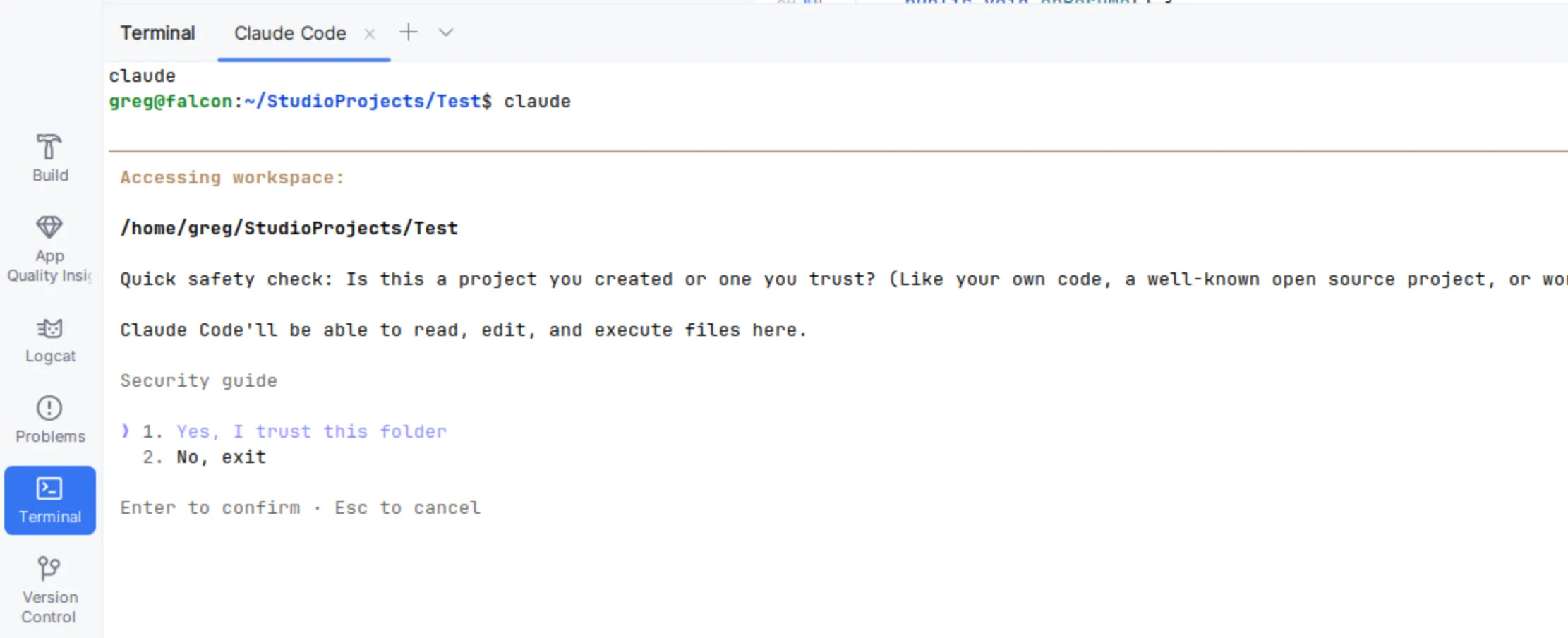
I created a new branch again off of main and gave Claude the same prompt as before and off it went evaluating the project, consulting online documentation, and checking for libraries. It prompted me several times, asking for permission to review online documentation and download example source code. After a few minutes, it finished and produced a large markdown file. This file documented the current state of the project, the target state of the project, a list of resources including Google’s own public Nav3 Recipes repository on Github, twelve detailed steps that included all the files it planned to modify and the source code changes, and finally a risk areas and notes section. The 12th step was its verify and test step, documenting all the verification steps it planned to do.
OK, this seems a lot better than the previous agent’s plan. I looked through Claude’s plan and noticed that it was a very similar action plan to the one the previous AI agent generated, just much more in depth. As with the previous agent, it did not realize that there was a Navigation 3 stable version 1.0.0. It also wanted to use an older release candidate. So I told Claude that I want it to make a change to its plan to use the stable 1.0.0 version of Navigation 3 and it made that change for me.
After the change, it asked if I wanted it to implement the plan. Hmm… should I have it do all the steps at once? That didn’t go well for the previous version. Will this go better? The only way to know is to let it try – so I did.
Again, off it went and it kept a running tab of what step it was on and what it was doing. When it got to step 12, the validation step, it ran into the same problems that the first agent did. However, this time I didn’t have to tell it to fix anything, it researched the issue, decided on a solution, and implemented it. It even launched the completed application once it compiled and verified the navigation still worked properly.
Results
In the end, both AI agents produced a working application, migrated to Navigation 3. Both agents produced an eerily similar solution. So to judge which solution was better is a wash because they’re almost identical.
The free Gemini agent included with Android Studio didn’t produce the detailed migration plan that the paid version of Claude did. Also, as I gave it its steps one by one it started enhancing its plan and one of the steps ended up having additional parts that had to be executed.
The experience with Claude Code was much nicer since it was able to execute all steps in the plan from one command. Additionally, the inclusion of a test and verification step that it executed on its own without me having to do the verification was a huge value-add.
Lessons Learned
Ask for a plan file first. Don’t tell the agent to just “do the migration.” Have it document the plan in a local markdown file, then review before execution. This lets you catch bad assumptions (like the wrong library version) before the agent wastes time implementing them. It also means you’re not dependent on the session staying open.
Free vs. paid produced the same code—but not the same experience. Both agents generated nearly identical solutions. The difference was in autonomy: Gemini needed me to run each step, catch errors, and direct it to make fixes. Claude ran the full plan which included a verification step, so it found its own errors. I still needed to review and approve changes, but it was nice that I didn’t have to manually prompt it to do the next step every time. For small tasks, free is fine. For larger migrations, the reduced hand-holding is worth paying for.
LLMs still hallucinate versions. Even with internet access, both agents wanted to use an outdated release candidate instead of the stable 1.0.0 release. Always verify dependency versions yourself.
You can swap LLMs in Android Studio. The built-in agent defaults to free Gemini, but you can configure it to use paid Gemini, OpenAI, or Anthropic models via API key. Note: a Claude Code subscription doesn’t include API access—that’s a separate pay-as-you-go account.
AI agents are getting better every day and I’m getting more comfortable with them. A few months ago, I wouldn’t have trusted an AI to do a migration like this. Now, with proper oversight via the techniques I’ve learned, I’m more comfortable delegating work to AI agents.
Final Thoughts
The real lesson here isn’t about Gemini vs. Claude—it’s that AI agents are most useful when you treat them like a capable but inexperienced teammate. Give them a clear plan, review their work, and don’t assume they got the details right. For more information on using AI agents effectively, check out this post What AI Mistakes Reveal About Your Project’s Documentation.
It’s also worth noting that the things AI agents do well—writing tests, generating documentation, refactoring code—are things you should already be doing. If your project doesn’t have good test coverage or up-to-date docs, that’s not an AI problem, it’s a process problem. But the flip side is encouraging: delegating that work to an AI agent means the practices you’ve been putting off become a lot less painful to actually follow through on. Tasks that have been languishing on your backlog become surprisingly approachable.
If you’ve got a migration or modernization project sitting on your backlog, we’d love to hear about it. We partner with teams to modernize codebases—whether that means adopting AI-assisted workflows, tackling tech debt, or building something new.